

Custom Bots Release

Brief overview
I am happy to announce that after hours of development, custom bots are now available for BETA testing. You can purchase one for your tech group, unlocking new vault features including roles, permissions, and deep appearance customisation with no watermark branding through the new custom bots page which you can access on the navigator. You can also access the custom bots through the link https://vaultroblox.com/navigator/custombots
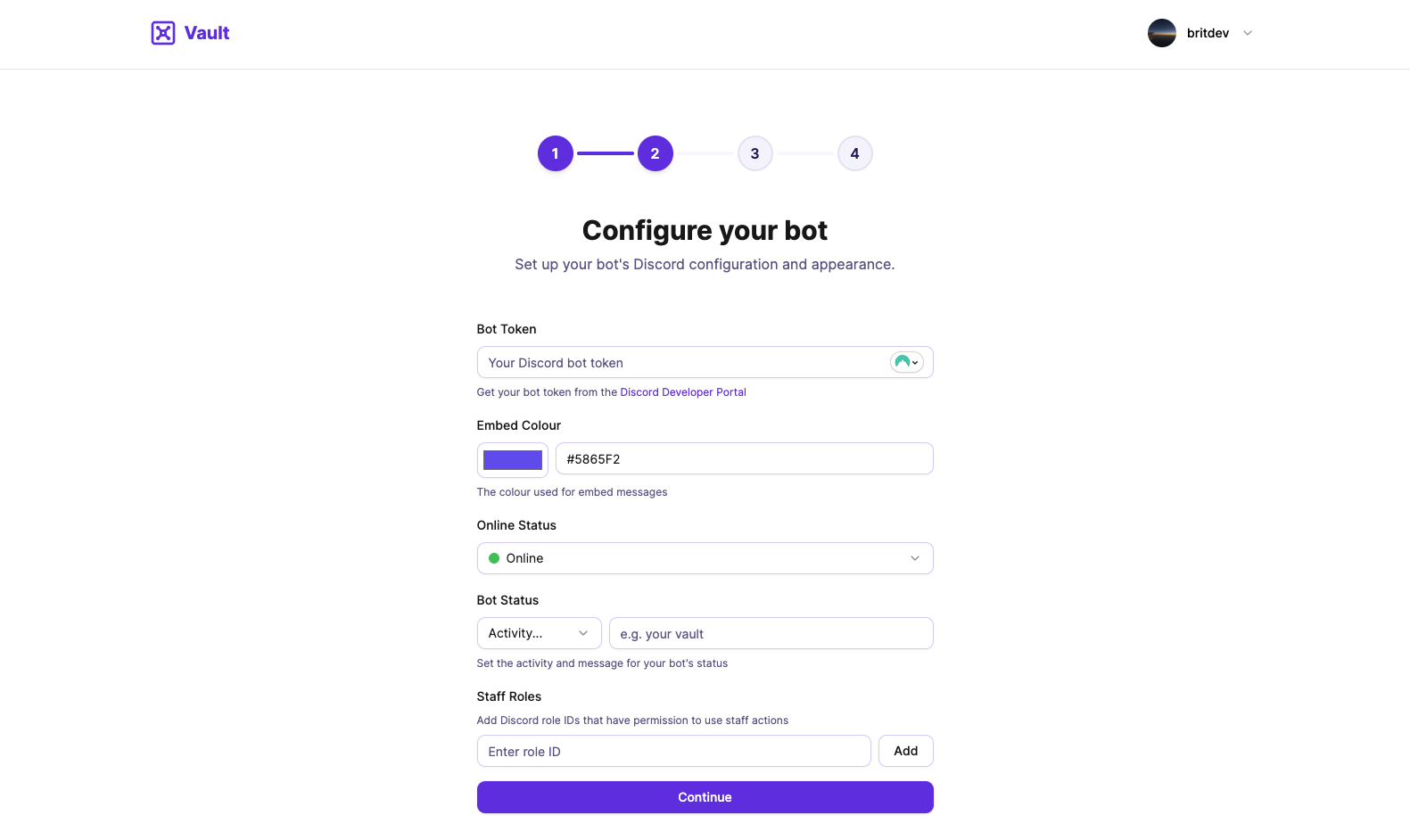
We understand that aligning the custom bot with your tech group's brand identity is important, so we've made the following customisation listed below easily configurable during setup, eliminating watermarks and default branding which we can't normally change on the main bot. These settings can always be easily changed later on if needed.
- Online Status
- Status Activity
- Status Message
- Embed Colour
- Default discord options (the profile picture, banner, ect...)
Another issue we understand is that custom bots need reliable uptime. Alternative hub systems like Parcel offer custom bot hosting solutions but their uptime guarantees are questionable and have proven unreliable at times with bots coming down randomly. We are committed to ensuring that our custom bots do not come down for random reasons and we will soon be publishing an engineering blog explaining how we are ensuring our custom bots remain reliable.
While we cannot promise a 99.99% SLA that our custom bot hosting will always be online, we will make sure that they do not come down randomly without reason (e.g update taking place). We are currently not at the scale of ensuring a perfect uptime for the custom bots as it would require further investment which we cannot afford.
Setting up your custom bot
The setup process for your custom bot has been made as simple as possible so it allows you to focus more on your products than technical details. The only step that some may struggle with is getting the discord bot token however we provide you the link to the Discord Developer portal where you can get the token. We will soon publish a blog guide on how to get the bot token so it is easier for users understanding the steps to getting the token.
To get started creating a custom bot go to https://vaultroblox.com/navigator/custombots/setup or you can access the custom bots page through the navigator. You will need to go through each setup step filling out all the information required. Please make sure that all the information that you provide is valid as it will be important later on.
After purchasing the custom bot though the last stage, you will be redirected to the main custom bots page where all your custom bots will be listed. You will have some quick actions Start, Stop and Manage. If the bot doesn't show please wait a few seconds then refresh the page. If your custom bot still doesn't show please contact support and we will help assist you.
The last action you will need to complete is clicking on the "Deploy" button that is shown where the Start / Stop button normally is. This deploy button will setup the hosting on our servers so you don't have to think about the technical details. A screenshot is attached below of what the deploy button will look like.

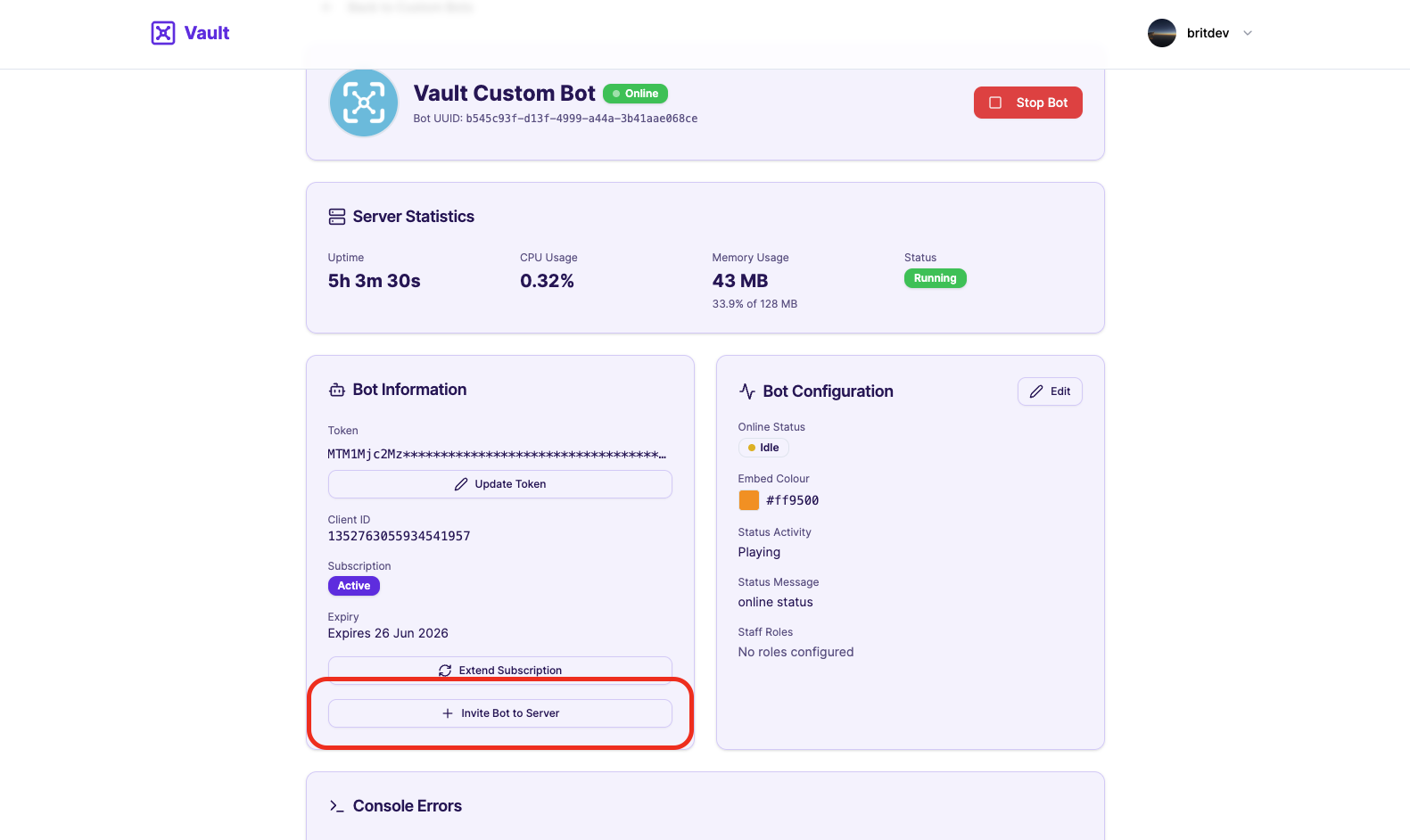
Congratulations! Your custom bot is now setup and the hosting is now online. If you haven't already invited the bot to your server please do so now, we provide the invite link via the manage bot page so you don't have to mess with the oAuth2 builder.
Managing your custom bot
Managing your custom bot is purely simple from now on as we handle all the technical details of keeping the bot up to date with updates and security issues. We give you the option to view and manage details about your custom bot.